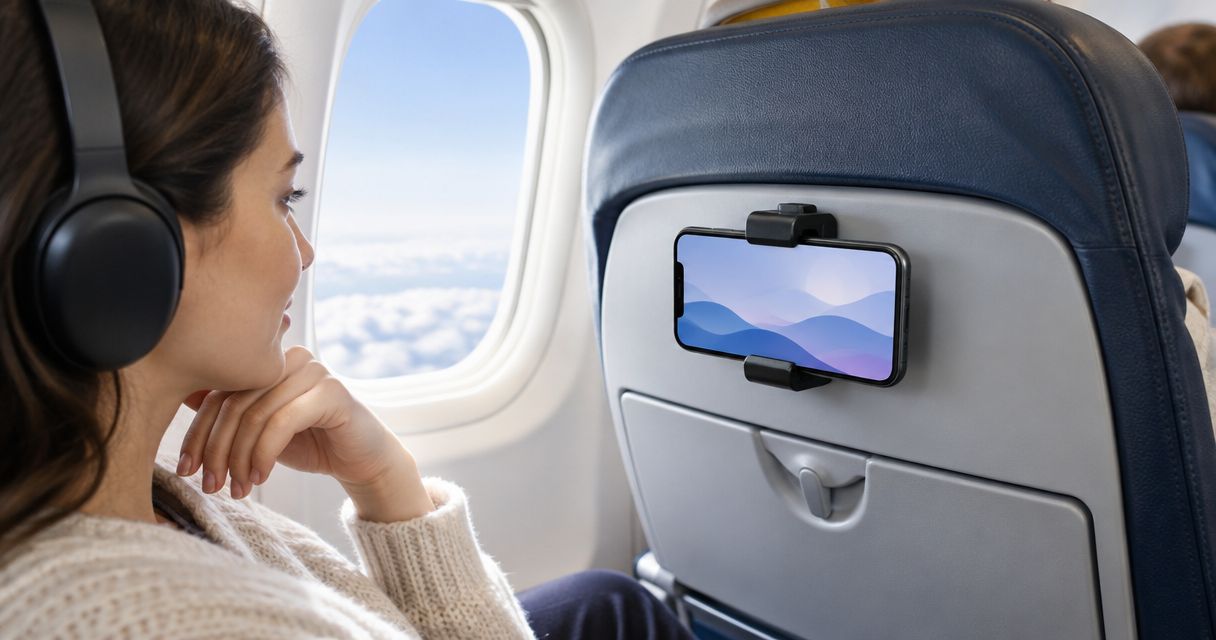
Best overall starting point: Airplane Phone Holder with 360° Rotation. Best for a flat tray table: a folding tabletop stand. Best for freeing tray space: a tray-edge clamp holder. This 2026 cell phone holder airplane guide compares those choices with flexible-arm holders and explains what to check before you pack.
- For a cell phone holder airplane search, start with mounting fit, then check viewing angle and phone-case clearance.
- Essentialfortravel’s Airplane Phone Holder with 360° Rotation suits travelers seeking foldable, hands-free phone viewing.
- A tabletop stand needs a usable surface; a clamp holder needs a compatible attachment edge.
- No airplane phone holder guarantees a fit across every seat, tray table and phone case.
Why this matters
Essentialfortravel’s Airplane Phone Holder with 360° Rotation is best for travelers seeking a foldable holder with adjustable viewing orientation. Its description identifies hands-free viewing and a foldable design; its title specifies rotation. Your buying decision still depends on where you can support it and how it fits your phone.
Essentialfortravel sells travel accessories alongside luggage, bags and packing organizers. For this category, choose around your seat setup rather than adding another accessory without a clear place to use it.
The practical problem is simple: your phone, its case and the available support surface must work together. A holder that positions the screen well at home is useful in flight only when its base or attachment also fits the space you have.
What makes the best airplane phone holder?
Use these criteria to assess an airplane phone holder in 2026 before comparing designs:
- Mounting fit: Identify the exact surface or edge the holder needs. Do not treat “airplane” in a product name as a universal compatibility promise.
- Phone fit: Check the phone with its everyday case attached, including any ring, wallet or grip on the back.
- Viewing adjustment: Look for positioning that lets you watch without holding your neck in an uncomfortable posture. Rotation and height adjustment solve different problems.
- Tray access: Decide whether you need room for food, a drink or a notebook while the phone stays supported.
- Packing simplicity: Favor a shape you can store and retrieve without unpacking your main bag.
- Cable clearance: Check whether the charging connector can reach the phone without pulling against the holder or blocking its support.
A long feature list does not compensate for a poor attachment match. Mounting fit comes first; viewing adjustment comes second.
Best airplane phone holders at a glance
The first option below is a named store product. The remaining options are holder designs, not claims about particular models or manufacturers.
| Item or design | Best for | Standout feature | Key limitation |
|---|---|---|---|
| Airplane Phone Holder with 360° Rotation | Foldable, adjustable viewing | Listed rotation and foldable design | Check the mounting method and phone fit before choosing |
| Folding tabletop stand | Simple viewing on a flat tray | Rests on the available surface | Occupies tray space and needs a suitable resting surface |
| Tray-edge clamp holder | Keeping the tray center clear | Attaches at a compatible edge | Clamp opening and edge shape must match |
| Flexible-arm holder | Positioning around an awkward support point | Bendable arm changes screen placement | Extended positioning creates more opportunity for movement |
Read the table as a decision tree. If you cannot identify a suitable support point, eliminate the design before comparing its other features.
1. Airplane Phone Holder with 360° Rotation: best for foldable viewing
The Airplane Phone Holder with 360° Rotation supports hands-free phone viewing and folds for travel. Its description names watching movies, reading and video calls as uses; the rotating design gives you an orientation adjustment to assess against your preferred viewing position.
For your 2026 packing list, this is the first named product to consider when you want a dedicated travel holder. Before choosing it, inspect the attachment method, phone-contact points and packed shape rather than assuming the product name answers every compatibility question.
Airplane Phone Holder with 360° Rotation pros:
- Foldable design gives you a defined travel-storage feature.
- Listed 360-degree rotation addresses screen orientation.
- Hands-free support removes the need to hold the phone throughout viewing.
Airplane Phone Holder with 360° Rotation cons:
- Rotation alone does not establish adjustable height or reach.
- Suitability still depends on the phone, case and available mounting location.
- A dedicated holder is another item to retrieve and pack away at your seat.
Best for: Travelers who want a foldable phone holder and will confirm its attachment requirements before departure.
Essentialfortravel’s airplane phone holder belongs on the shortlist for its stated features, not an assumed fit with every aircraft interior. Match those features to your actual use rather than treating rotation as a substitute for stable support.
Verdict: Buy if the attachment method and phone fit match your setup; skip if you cannot confirm them.
2. Folding tabletop stand: best for a flat tray table
A folding tabletop stand rests on a surface rather than gripping an edge. This design suits you when you expect to keep the tray down and want a straightforward place to rest your phone.
The main trade-off is footprint. The stand shares the surface with everything else you place there, so assess the phone and stand together—not just the size of the folded accessory.
Folding tabletop stand pros:
- Does not depend on finding a clamp-compatible edge.
- Can move around an available flat surface without changing an attachment point.
- Keeps the mounting arrangement easy to understand and inspect.
Folding tabletop stand cons:
- Requires a suitable surface throughout use.
- Competes with meals, drinks and other tray-table items.
- A low resting position can leave you looking downward.
Best for: Travelers who keep their tray open and prioritize simple setup over preserving the whole surface.
Check the support lip with your charging cable connected. A stand that works with an unplugged phone is not automatically convenient when the connector exits through the bottom edge.
Verdict: Buy for simple tray-based viewing; skip if keeping the tray clear is your main goal.
3. Tray-edge clamp holder: best for keeping the tray center clear
A tray-edge clamp holder grips a compatible edge instead of resting its whole base on the tray. That changes the space trade-off: you gain room in the center but depend on the edge being suitable for attachment.
For a 2026 purchase, inspect the clamp opening, contact surfaces and release mechanism. Also consider the phone’s position after attachment; an edge-mounted holder can still place the screen over space you need.
Tray-edge clamp holder pros:
- Uses an edge rather than a freestanding base in the tray center.
- Separates the support point from the main working surface.
- Offers a clear attachment method to evaluate before use.
Tray-edge clamp holder cons:
- Needs an edge with a compatible shape and thickness.
- Must be released before you fold or move the supporting tray.
- Can interfere with surrounding space if positioned poorly.
Best for: Travelers who want the center of a compatible tray available while watching their phone.
Never force a clamp onto aircraft fittings. If attachment requires pressure that marks, bends or strains the surface, stop and use another arrangement.
Verdict: Buy when edge compatibility is clear; skip when the mounting point is uncertain.
4. Flexible-arm holder: best for an awkward support position
A flexible-arm holder uses a bendable arm between the attachment point and the phone. It suits situations where a short, fixed support cannot place the screen where you want it.
The benefit is positioning freedom, not guaranteed steadiness. Extending a phone farther from its support increases the turning effect of its weight, so keep the arm compact rather than stretching it simply because it bends.
Flexible-arm holder pros:
- Changes screen position around a fixed attachment point.
- Allows adjustment beyond rotating the phone in place.
- Gives you an alternative when a low tabletop position is uncomfortable.
Flexible-arm holder cons:
- A longer unsupported reach increases the demands on the attachment.
- Bending and repositioning add setup work.
- The arm and phone need room without entering another passenger’s space.
Best for: Travelers with a confirmed attachment point who need more positioning flexibility than a short holder provides.
Test the arrangement with your usual phone case attached. Keep the phone close to the support and reject any setup that drifts, slips or needs repeated correction.
Verdict: Hold until you confirm the attachment and positioning; skip if compact simplicity matters more.
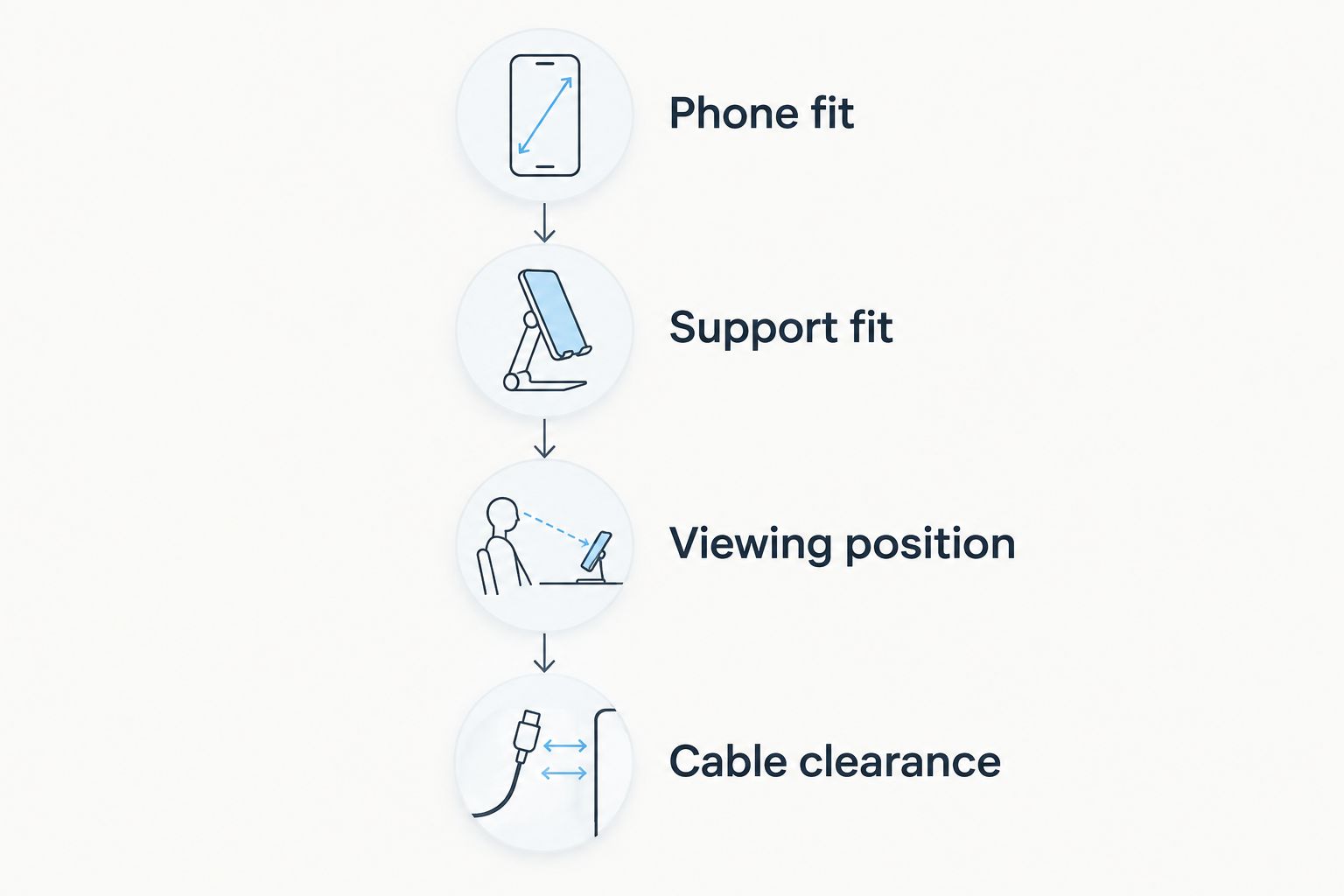
Check the whole setup before your flight
For any airplane phone holder you plan to use in 2026, check the complete arrangement at home. You cannot reproduce every seat, but you can identify problems involving your own phone, case and charging cable.
Phone fit
Insert the phone with the case you actually carry. Check that the contact points do not press side buttons, obstruct the camera unnecessarily or depend on a removable accessory you intend to leave attached.
Support fit
Use the holder only as its instructions describe. For a clamp, inspect how the contact surfaces meet the support; for a stand, check that the base rests fully and does not rock.
Viewing position
Sit as you would while watching. Check both portrait and landscape orientation if you use them, and distinguish rotating the screen from raising it: a 360-degree rotation feature does not, by itself, lift the phone closer to eye level.
Cable clearance
Connect the cable you intend to use. Check that the connector fits, the cable has slack and the lead does not cross a place where you or another passenger must move.
Finish by removing and packing the holder. A release mechanism that is awkward at home deserves attention before you try to use it in a confined seat.
How we ranked
The ranking prioritizes stated features, understandable attachment requirements and a distinct use case for each option. It separates the named product from generic designs so you can distinguish a product recommendation from a mounting-style comparison.
Essentialfortravel’s Airplane Phone Holder with 360° Rotation comes first for foldable, adjustable viewing. The other positions answer different needs: a simple resting surface, a clearer tray center or greater positioning flexibility. This is a feature-and-fit guide, not a claim of flight testing or measured performance.
Which airplane phone holder should you choose?
Start with the Airplane Phone Holder with 360° Rotation if you want a foldable travel accessory and can confirm its fit. Choose a tabletop stand instead when you want the simplest support on a flat tray; choose a clamp only when you know the attachment point suits it.
For 2026 travel, avoid buying around a feature you will not use. If you watch only with the tray down, extra reach adds little to the decision. If you need the tray center for other items, surface footprint matters more than the number of possible viewing angles.
Flexible-arm designs belong last in the decision process because they solve a narrower positioning problem. Choose one for a specific need, not because more movement automatically means a better in-flight setup.
FAQ
What’s the best cell phone holder airplane option for most travelers?
Start with the Airplane Phone Holder with 360° Rotation if you want a foldable holder with adjustable orientation. Confirm its attachment method and phone-case fit before choosing it; no design fits every seat arrangement.
Is a tray-table clamp better than a phone stand?
A tray-table clamp is better for preserving the center of a compatible tray, while a stand is simpler when you have a suitable flat surface. The right choice depends on the mounting point and how you use your tray.
Will an airplane phone holder fit my phone case?
Case compatibility depends on the holder’s opening and contact points. Check the phone with its case, wallet, ring or grip attached rather than using the bare phone’s dimensions alone.
Does 360-degree rotation mean the holder adjusts in every direction?
No, 360-degree rotation describes rotation, not every possible height, tilt or reach adjustment. Check those movements separately if you need to raise the screen or bring it closer.
Can I charge my phone while it is in a holder?
You can charge it when the holder leaves the charging connection accessible and the cable reaches without pulling. Check the setup with your actual cable because connector shape and phone orientation affect clearance.
Can I leave a phone holder attached for the whole flight?
Do not assume you can leave it attached throughout the flight. Follow crew instructions, keep required areas clear and remove it whenever it interferes with tray operation or safe movement.
Is a flexible-arm phone holder the most stable choice?
A flexible arm is a positioning choice, not a guarantee of stability. Keep the phone close to the support, follow the holder’s instructions and stop using any arrangement that slips or drifts.
One last thing
Test how quickly you can put the holder away, not just how comfortably you can watch. Meals, movement and tray changes all require you to manage the accessory as well as the phone.
Keep a simple fallback: pause playback and store the phone when no suitable support is available. A holder earns its place in your bag by making viewing easier without creating a new obstruction.