Published October 23, 2026 · By Garry Barnes · Publisher: Garry Barnes · Updated
Recommended travel gear: Keep cords organized with the BANGE Electronics Organizer for Cables & Chargers, carry smaller accessories in the 6-Piece Mesh Travel Organizer Pouches, and consider the 20,000mAh Portable Power Bank for charging on the move. Check airline battery limits before flying.
Official travel references: Review the TSA laptop screening guidance and FAA lithium battery guidance before packing electronics. For related advice, read our Travel Electronics Bags guide.
Travel Electronics Organizer Buying Guide
Loose cables, missing adapters and a dead phone can make even a short journey frustrating. A well-chosen electronics organizer keeps your essentials together, protects delicate accessories and makes it easier to find what you need on flights, trains, road trips and beyond.
Choosing the right travel bag for electronic accessories is not just about staying organized. It is about protecting expensive gear, staying TSA-compliant, and keeping everything accessible when you need it most. Whether you are a business traveler rushing between meetings, a digital nomad working from three different countries, or a photographer hauling serious gear, the right bag changes everything.
In this guide, you will find a curated breakdown of the best travel bags and organizers for electronic accessories across every travel style and budget. We will cover what features actually matter, how to choose between carry-on and checked luggage scenarios, and the packing strategies that make your setup work harder for you. By the end, you will know exactly which option fits your life on the road.
What to Look for in a Travel Bag for Electronic Accessories
Not every bag marketed for travel can handle a modern device load. Before buying, evaluate these five criteria to separate purpose-built electronics bags from glorified tote bags.
Easy access at security. Choose a bag with a dedicated laptop sleeve or lay-flat opening so you can remove devices quickly if asked. Screening procedures vary by airport and equipment; follow TSA officers’ instructions and review TSA laptop guidance before your trip.
Compartment structure and cable management. Look for elastic cord loops in varying sizes, zippered mesh pockets, and cord pass-throughs. These keep USB-C cables separated from HDMI adapters and prevent charging bricks from grinding against earbuds. Without them, every bag becomes a cable nest within one flight.
Protection level. Compare padding and divider fit with your equipment. Check the complete bag’s specifications; a water-resistant material label does not guarantee that seams and zippers exclude water.
Capacity and dimensions. List what you carry and compare usable compartments with each item’s measurements. A compact pouch may suit cables and earbuds; laptops and cameras may need separate protective compartments.
Accessibility during transit. Keep frequently used accessories within reach. Compare compartments and opening styles in our travel electronics bags guide.
For Small Tech Kits: The Organizer Pouch
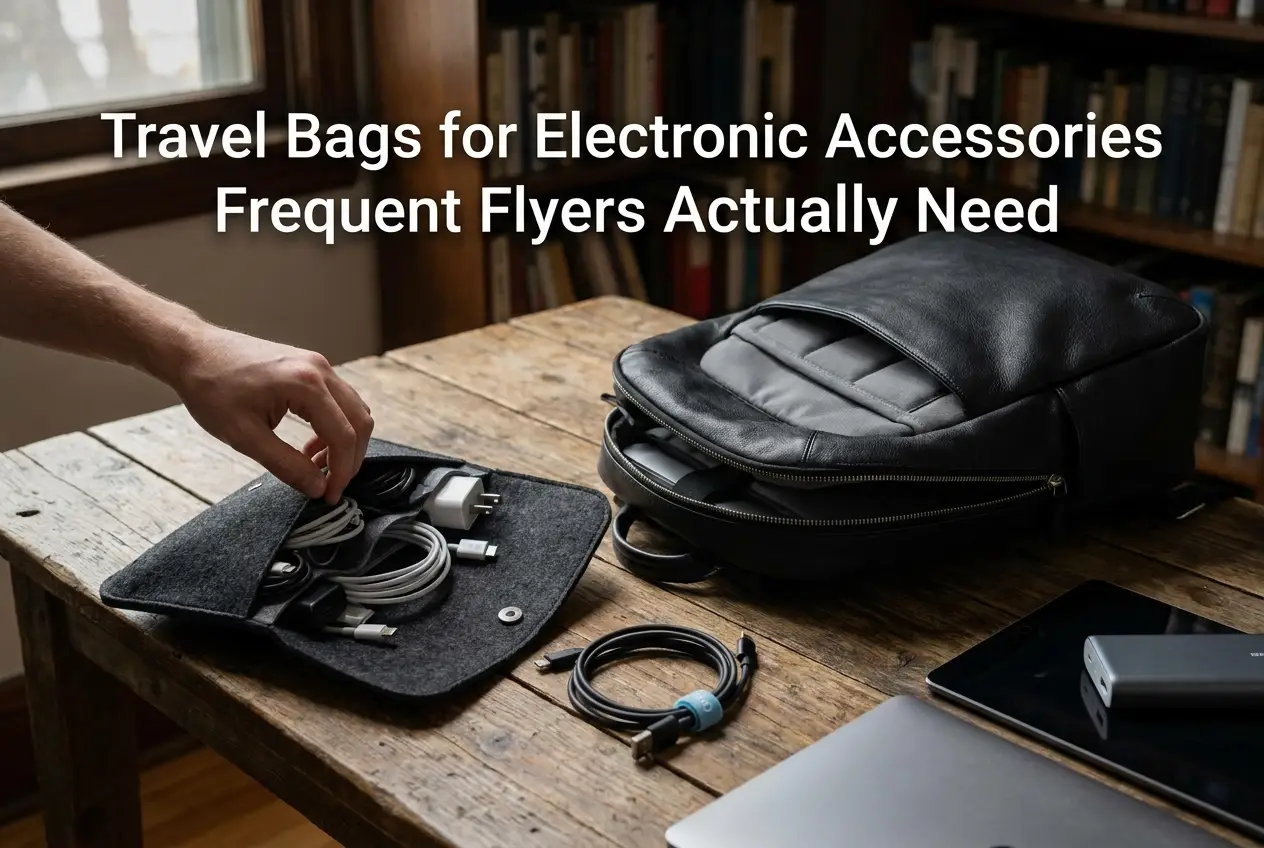
If you already have a carry-on or backpack you trust, a standalone tech pouch is the fastest upgrade you can make. It drops into any existing bag and instantly solves the loose-cable chaos that slows down the average traveler at security.
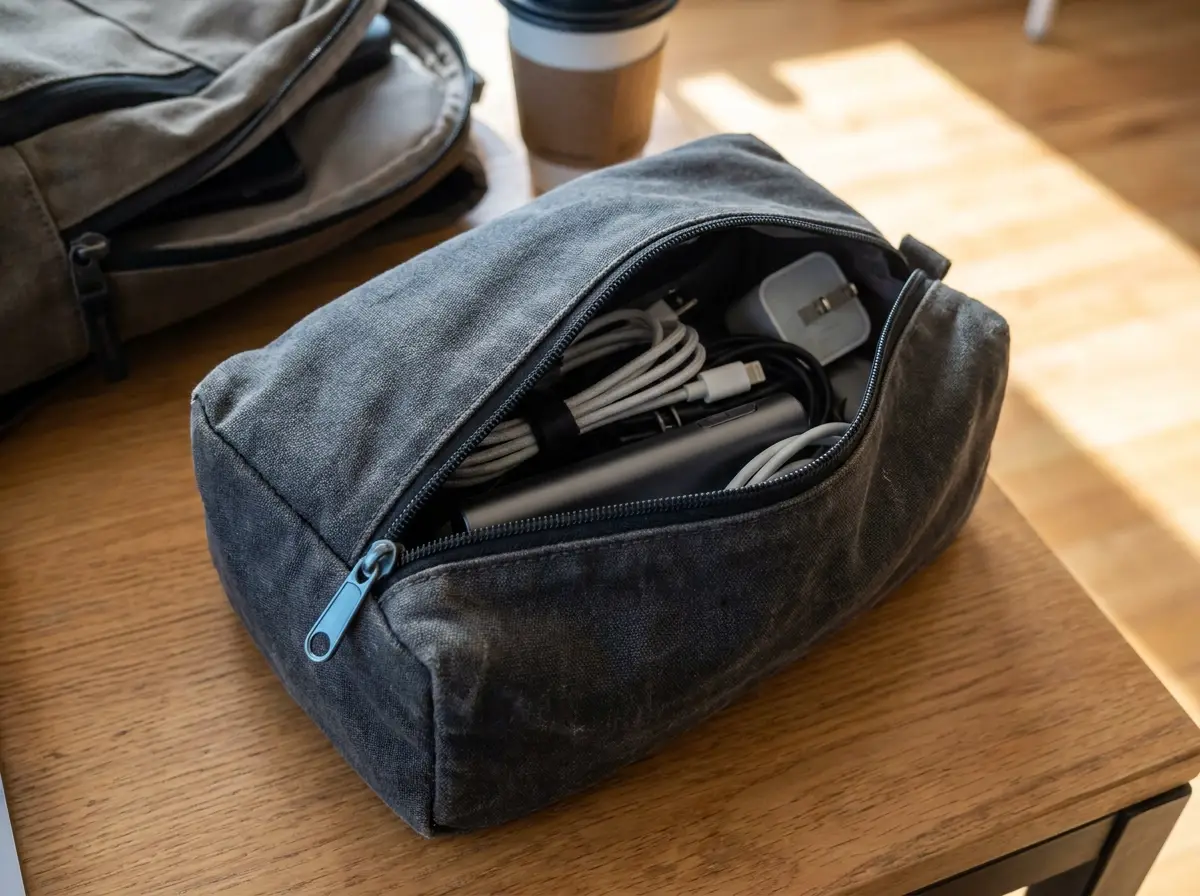
Compare the organizer’s listed dimensions, compartments, opening style and materials with the accessories you actually carry. Elastic loops and separate pockets can help keep cables and chargers organized. Water-resistant materials do not establish that the entire pouch is waterproof. A flat-opening pouch can improve access, but it does not guarantee that its contents can stay packed during screening.
Size matters here. The sweet spot is a compact footprint that fits a 65W USB-C charger, two cables, earbuds, a small power bank, and an SD card wallet without overstuffing the pouch or distorting its shape inside your main bag.
Check the opening and closures. Compare zipper travel, pocket closures and the packed shape. Test whether you can reach each pocket without loose accessories falling out. The number of zipper pulls alone does not establish how widely a pouch opens.
For intermediate travelers currently tossing cables loose into the bottom of a backpack, a dedicated tech pouch is the right first move before investing in a larger, purpose-built electronics bag.
For Business Travel: The Slim Briefcase or Folio
When a tech pouch alone isn’t enough, business travelers need a dedicated carry that handles electronics and work materials without compromise.
A typical load includes a laptop, tablet, phone, USB-C hub, charging brick, and presentation accessories. That combination demands a structured folio or slim briefcase with defined compartments rather than a general-purpose bag where everything competes for space.
The right folio offers a padded 15-inch laptop compartment, a flat document sleeve, and a front tech panel with card slots and elastic cable loops. That layout keeps boarding passes, business cards, and a USB-C hub immediately accessible while the laptop stays protected in the back panel, all in a carry that looks polished in a conference room.
Measure the packed bag and compare it with your operating airline’s allowance. A slim appearance does not guarantee under-seat fit or overhead space. Check that any luggage pass-through fits your suitcase handle. Our carry-on luggage buying guide explains what to compare.
Choose a laptop compartment you can reach without unpacking the rest of your bag. Keep larger electronics accessible if an officer asks you to remove them. Screening procedures vary by checkpoint and equipment; follow the officer’s instructions and consult TSA screening information.
For Larger Device Loads: The Travel Tech Backpack
Where the business folio reaches its limit, the full-load tech backpack takes over.
Remote workers and digital nomads traveling one to four weeks carry the most demanding electronics loads of any traveler segment: laptop, backup hard drive, camera kit, multiple chargers, sometimes a portable monitor, and cables spanning USB-C, USB-A, and HDMI. A slim folio simply cannot accommodate that inventory.
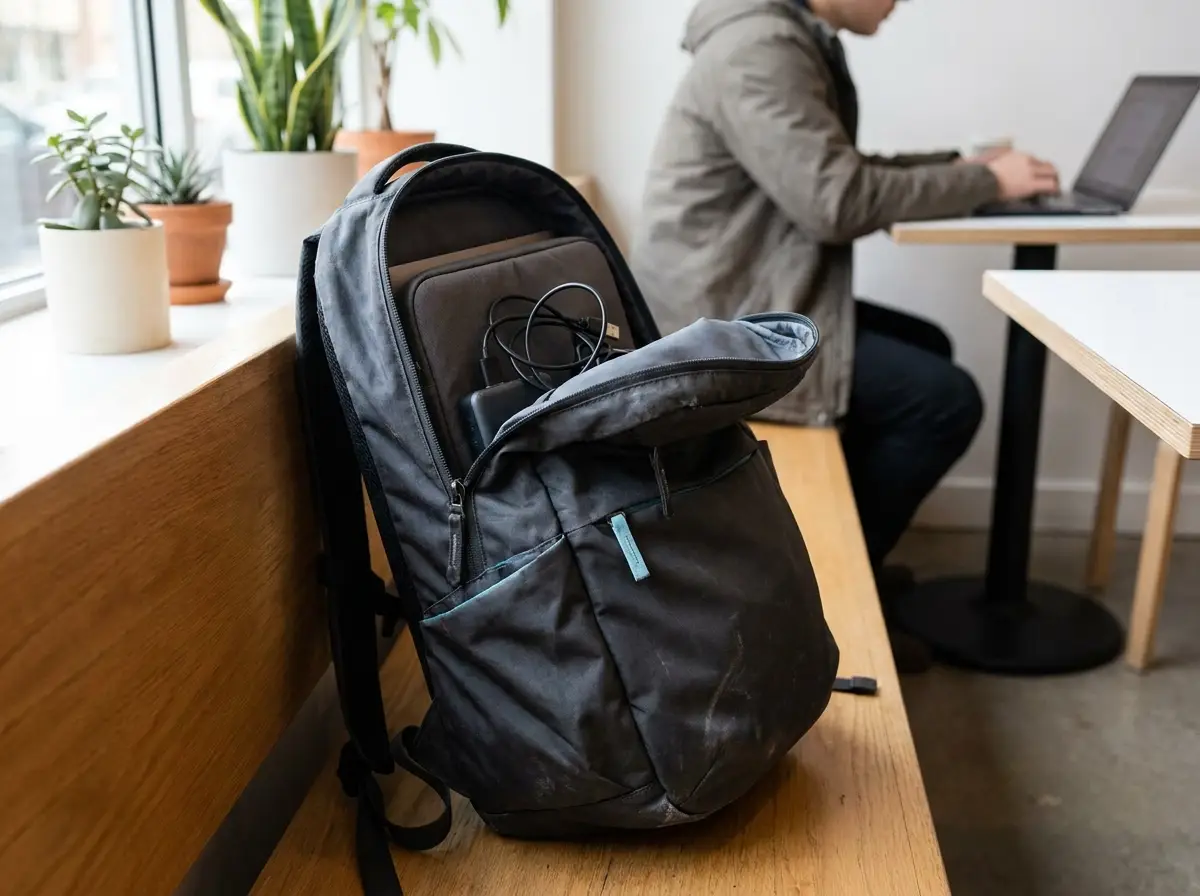
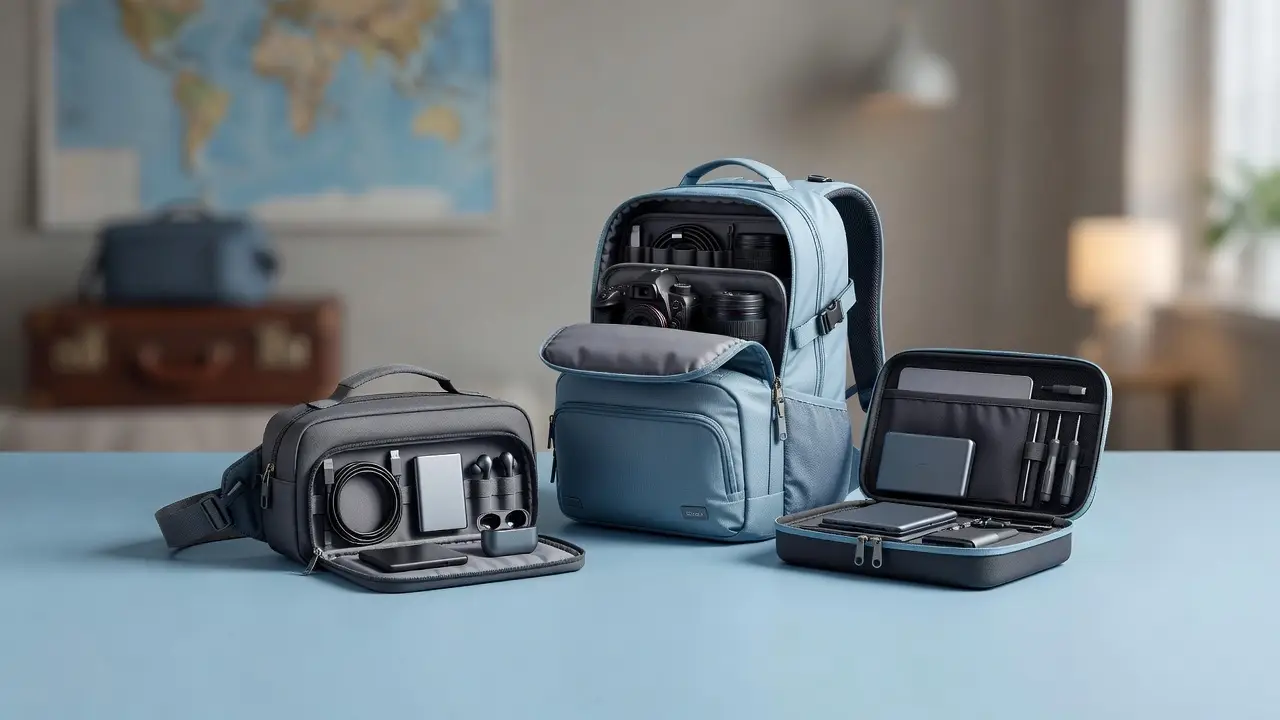
A travel backpack with a dedicated tech compartment spanning the full back panel, paired with modular internal pouches that keep devices separated and accessible, handles the volume without forcing you into checked luggage for gear alone.
Prioritize these four features specifically:
- Clamshell opening for full-panel access during TSA screening
- Hidden back-panel anti-theft pocket for passports and backup payment cards
- Compression straps to stabilize a top-heavy load and keep the bag from pulling backward
- USB pass-through port so a power bank stored inside can charge a phone clipped to the shoulder strap without opening the bag
List each device’s required charger and cable. Combine accessories only after checking the manufacturer’s compatibility and power requirements. A shared connector shape alone is not a reason to leave a required charger behind.
Compare loaded comfort and compartments in our travel backpack guide, then use the travel accessories packing guide to choose useful extras.
For Camera Equipment: The Modular Camera and Tech Bag
Photographers hauling a mirrorless body, two or three lenses, a drone, and audio recording gear face a challenge remote workers don’t: camera gear and electronics accessories have completely different protection requirements, and one poorly organized bag exposes both to damage.
The defining feature to prioritize is a modular divider system with hook-and-loop adjustable panels. This lets you reconfigure the interior the night before a shoot versus packing for a flight, collapsing the camera section entirely when you’re in transit and expanding it when the full kit is coming along.
Equally important is physical separation between the camera compartment and the electronics section. A dedicated zippered divider between the two zones keeps SD cards, lens caps, and filter rings from ending up tangled with charging cables and USB hubs. Mixing those layers is how memory cards get lost and cables get bent.
For outdoor shooters, weatherproof zippers and an included rain cover are worth the added weight. Beach sessions, rainforest locations, and humid destinations can push moisture into any open compartment, and camera batteries and portable recorders are especially vulnerable. Pairing this bag with a compact electronic cable organizer pouch inside the electronics section keeps cables dry and separated from camera accessories.
Compare padding and structural support with the equipment you carry. Semi-rigid panels may add support but do not guarantee crush protection. Keep delicate equipment away from pressure points and follow its manufacturer’s transport guidance.
For Simple Cable Kits: The Cable Roll or Flat Organizer
Not every traveler hauls a full camera kit or a remote work setup. If your packing list tops out at a phone, laptop, earbuds, and a couple of cables, a dedicated modular bag is overkill. A cable roll or flat accordion organizer covers the job at a fraction of the price.
Cable rolls typically offer multiple elastic loops in varying widths, sized to grip everything from a micro-USB cord to a full-size laptop power brick. Compact enough to slip into a daypack side pocket or a carry-on front compartment, they keep cables contained without adding bulk.
Flat accordion organizers with mesh panels can make small accessories easier to identify. Compare pocket sizes and the opening style before buying, and keep items accessible in case security officers ask you to remove them.
Check the padding and closures on the specific organizer. Some rolls and flat pouches are unpadded; others include protective compartments. Keep delicate devices in suitable cases rather than assuming all organizers provide the same protection.
A small roll or pouch can separate adapters, screen wipes and loose items inside a larger bag. Compare options in the travel essentials shop, checking dimensions and materials against your packing list.
Carry-On vs. Checked Luggage: Where Your Electronics Belong
Choosing the right bag is only half the equation. Knowing what goes where determines whether you breeze through the checkpoint or get flagged at the gate.
Plan where each item will travel before packing. Use our carry-on luggage and security guide alongside your airline’s current rules and the FAA battery sources below.
Spare lithium batteries and power banks belong in carry-on baggage. Protect them against damage and short circuits, and remove them if your cabin bag is checked at the gate. Check the battery’s watt-hour rating and your airline’s limits before departure. See the FAA passenger battery guidance.
Keep valuable electronics in your carry-on where practical. Some devices with installed lithium batteries may be checked when permitted, but they must be completely switched off and protected against accidental activation and damage. Restrictions depend on the device, battery and airline; consult the FAA guidance for devices containing batteries. A built-in battery alone does not establish whether an item may be checked.
For carry-on electronics bags, front-load the outermost pocket with your most-accessed items: earbuds, a charging cable, and your power bank. Security rescreening and in-flight access both become faster when those items never require opening the main compartment.
Packing Tips That Make Your Electronics Bag Work Harder
Once your bag is packed correctly, how you maintain it in transit determines whether your gear stays protected and accessible throughout the trip.
- Switch to velcro cable ties. Rubber bands can degrade over time and stick to cable insulation; velcro ties are reusable and release cleanly.
- Label similar-looking cables. Note which device each cable is intended for and check its markings and instructions before use.
- Compare chargers before consolidating. Check device requirements, the charger’s output when several ports are used, and manufacturer compatibility instructions. Keep a separate charger when your equipment needs one.
- Dedicate a mesh zipper pouch to adapters only. International plug adapters and voltage converters dropped loose into a main bag disappear instantly. One small mesh pouch used exclusively for adapters means you locate them in seconds at any hotel check-in.
- Run a pre-departure electronics audit the night before. Pull everything out, verify each device is fully charged, confirm every cable matches a device you are actually bringing, and remove anything without a clear purpose on this specific trip. Editing before departure is far easier than troubleshooting a missing cable in a foreign airport.
How to Build a Simple Travel Tech Packing System
Start by separating your equipment into three groups: items needed during the journey, items needed at your destination, and backups. Keep your phone, earbuds, charging cable and approved power bank in an easily reached personal-item pocket. Store less frequently used adapters and spare cables in a labeled organizer inside your main bag.
Match your organizer to the trip
For a weekend away, a compact pouch may be enough for one charger, two cables and earbuds. On a longer business trip, choose an organizer with separate compartments for a laptop charger, USB-C hub, travel adapter and backup accessories. On road trips or RV journeys, use a larger pouch for vehicle charging cables and keep those separate from your everyday phone accessories.
Before leaving home: a five-minute electronics check
- Charge each device and test the cable and power adapter you plan to carry.
- Label similar-looking cables so you can identify the correct one quickly.
- Back up important files and save travel documents for offline access.
- Check the destination’s plug type and voltage requirements; a plug adapter does not necessarily convert voltage.
- Review your airline’s rules for lithium batteries and power banks, including capacity limits.
Frequently Asked Questions About Travel Electronics Bags
Should a power bank go in checked luggage?
No. Spare lithium batteries and power banks generally belong in carry-on baggage, subject to airline and FAA restrictions. Check FAA PackSafe guidance before departure, especially for higher-capacity models.
Is a water-resistant electronics pouch waterproof?
Not necessarily. Water-resistant fabric can help against light splashes, but seams and zippers may still admit water. Use an appropriately rated waterproof case when exposure to heavy rain or water is likely.
What should I keep accessible during security screening?
Keep laptops and larger electronics easy to remove when instructed. Screening procedures vary by checkpoint and equipment, so follow the officer’s instructions and consult TSA screening information before traveling.
Can the same organizer work for flights, trains and road trips?
Yes. A compact organizer is useful across transportation types. The main difference is what you pack: air travelers need to follow battery restrictions, while road-trip travelers may also carry vehicle charging accessories and additional cables.
Final Thoughts: Choose the Right Travel Electronics Organizer
Choose a bag around your actual device load, usable compartments and comfortable carrying weight. Keep equipment accessible for screening, follow the rules for each battery and device, and compare charger compatibility before simplifying your kit.
You do not need to overhaul your entire setup at once. Start by identifying your biggest friction point, whether that is tangled cables, slow security lines, or damaged devices, and solve that problem first.
Measure the options against your usual packing list and check the product specifications before ordering. Start with the accessory that solves your most common packing problem, then add only what earns its place in your bag.